
Register on Orbit Exchange
Follow these simple steps to create your Orbit Exchange account through Bet-Football and start trading.
Register NowIn some countries (e.g. Portugal), it is necessary to use a VPN to access the Bet-Football website.

Get Started
Join The Exchange
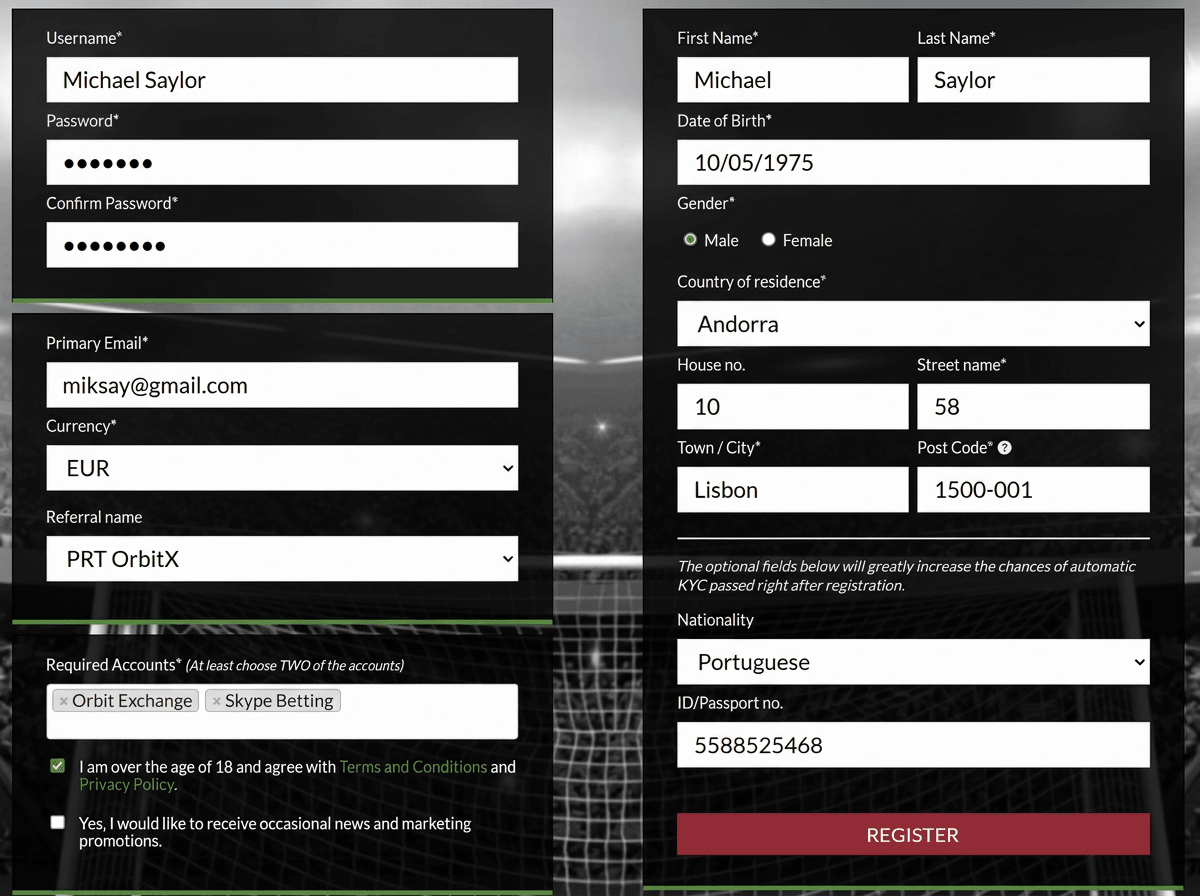
Click Register
- Click Register Now on Bet-Football.
- Select the bookmakers: Orbit Exchange and Skype Betting.
- Then click REGISTER.
Portuguese users: Always select Andorra as your country of residence in the registration form.
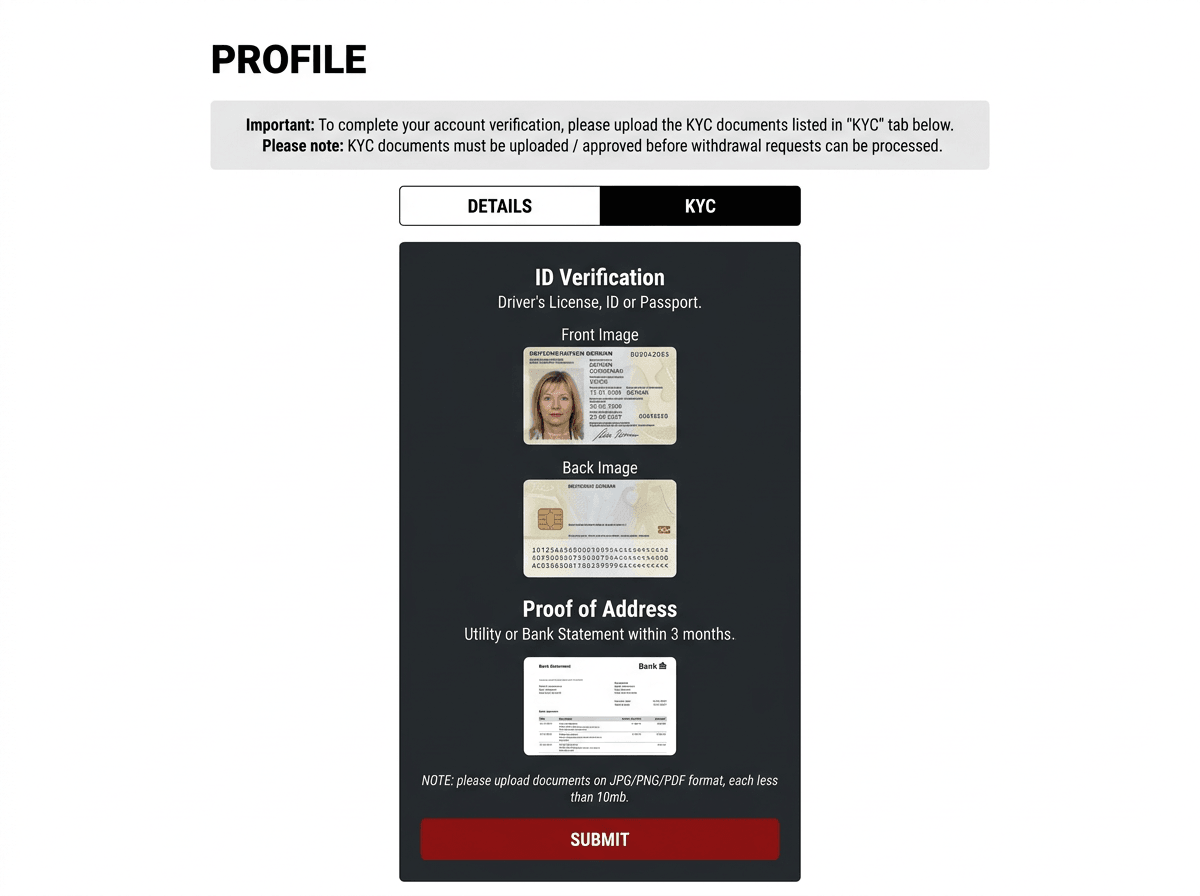
KYC Verification
- Log in to Bet-Football and upload your documents.
- 1x Proof of Address — utility bill or bank statement from the last 3 months.
- 1x Identity Document — passport, ID card, or driving licence.
- Click SEND and check your email (including SPAM) for confirmation.
First Deposit
- Once verified, make your first deposit. The minimum deposit for a new account is €30.
- Even if the email you receive mentions a minimum deposit of €100, you can deposit just €30 when opening your new account.
Portuguese users (or others who need a VPN to access Bet-Football): Temporarily disconnect your VPN when logging into Skrill or Neteller to make the deposit. You can reconnect the VPN afterwards.
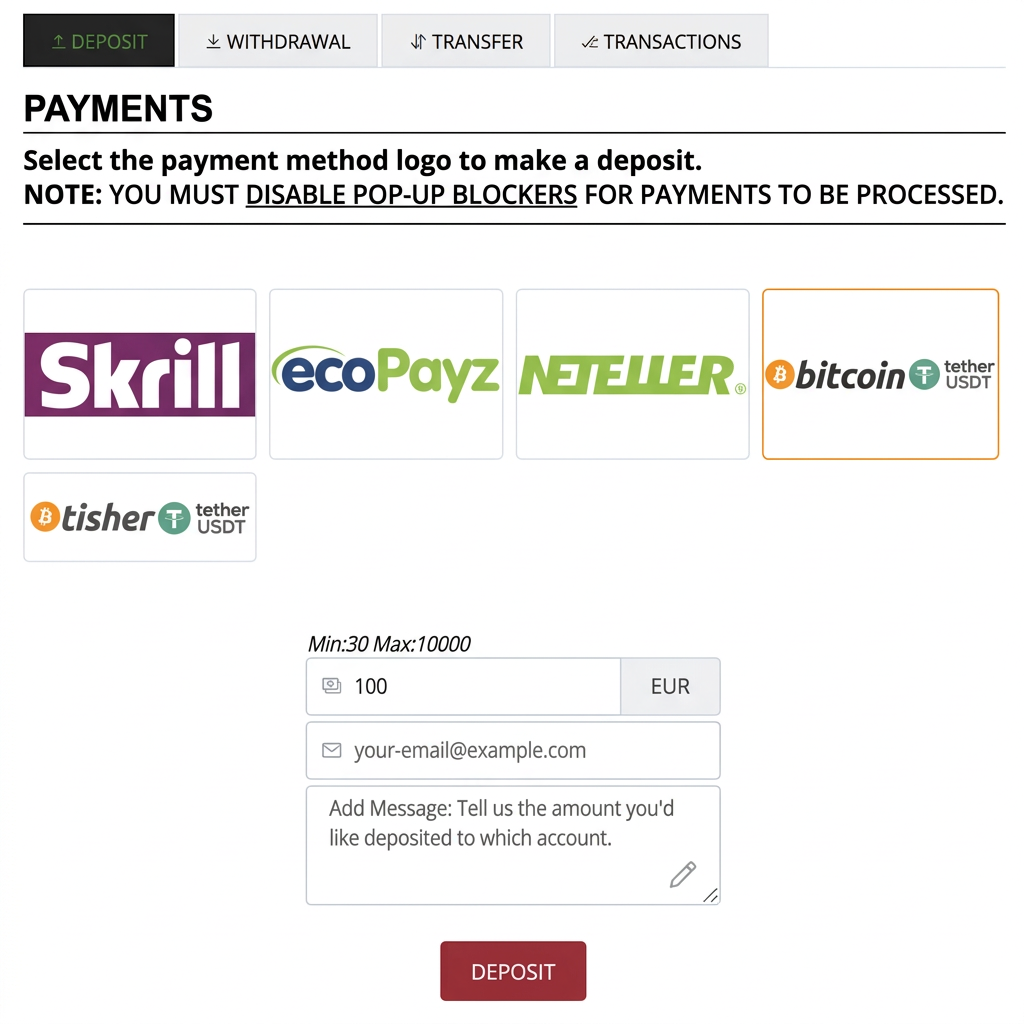
How to Make Your First Deposit on Bet-Football
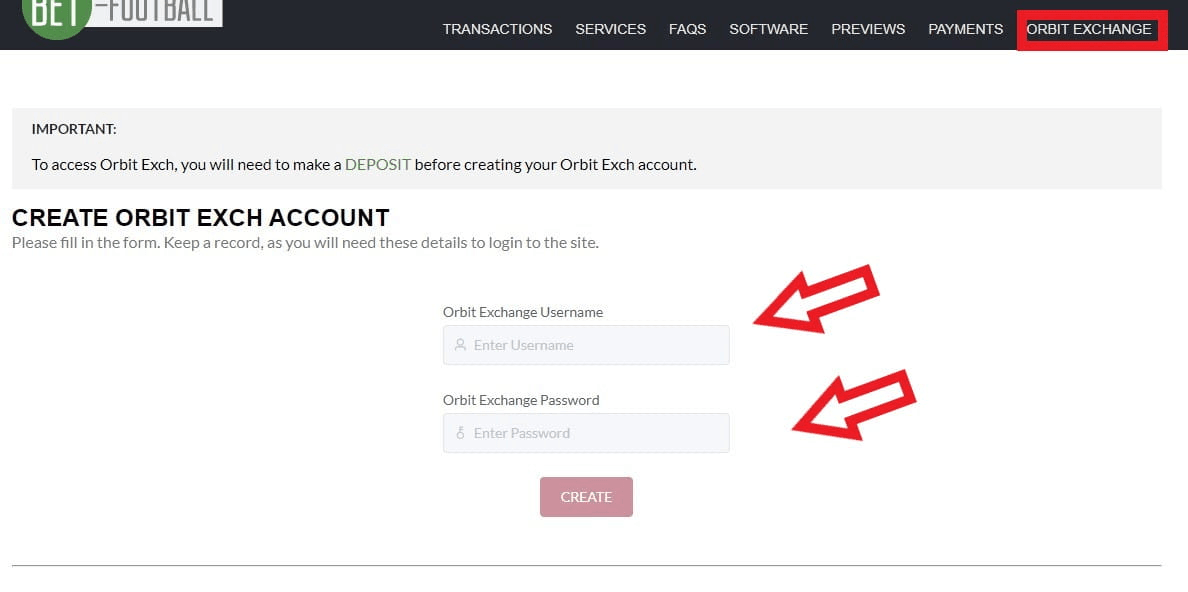
Create Orbit Exchange Account
- Click on Orbit Exchange.
- Now create your Orbit Exchange account.
- Choose your username OrbitX.
- Set your password OrbitX and click Create.
- Your Orbit Exchange account will then be created.
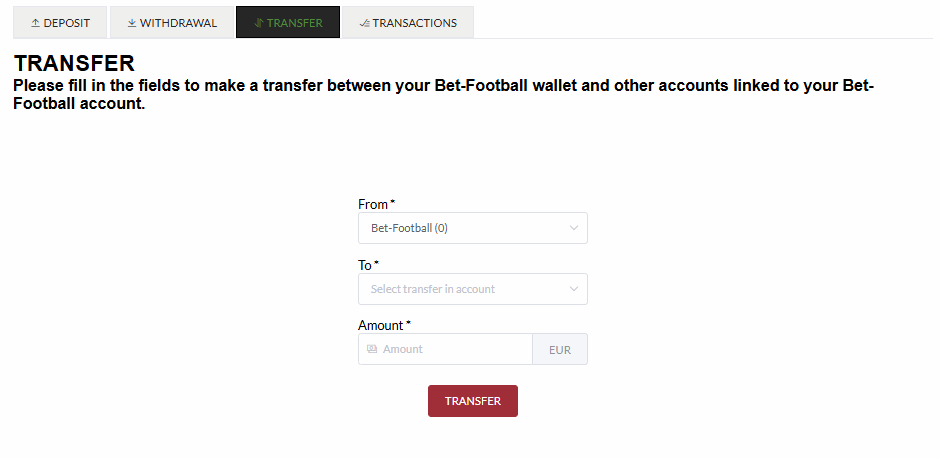
Transfer Funds to Orbit
- Now let's move the funds deposited in Bet-Football to Orbit Exchange.
- Go to Transfer.
- Select from: Bet-Football → to: Orbit Exchange.
- Enter the amount.
- Click Transfer.
Account Login
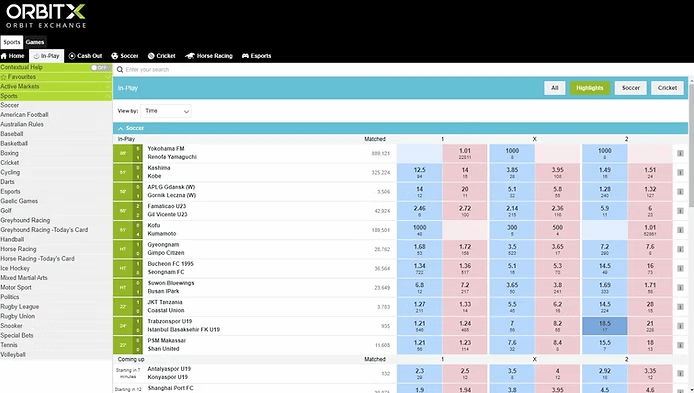
- Please login at your new Orbit Exchange account with your username and password.

Step-by-Step Tutorial
Your Account in Minutes
How to Open Your Orbit Exchange Account
Watch this step-by-step video guide to learn how to register and start trading on Orbit Exchange.
Start Trading Today
Register NowReady to start?
Create your Orbit Exchange account today through BFB247-96EX and access the world of betting exchanges. Join thousands of traders who already enjoy better odds, free professional software, low commission and 24/7 multilingual support. Registration takes just a few minutes.