Deposits & Withdrawals
Step-by-step guide to managing your funds on Orbit Exchange via BFB247-96EX.

How to Deposit & Withdraw
Follow these simple steps to deposit and withdraw funds on your Orbit Exchange account through BFB247-96EX.
How to Make a Deposit
Log into BFB247-96EX
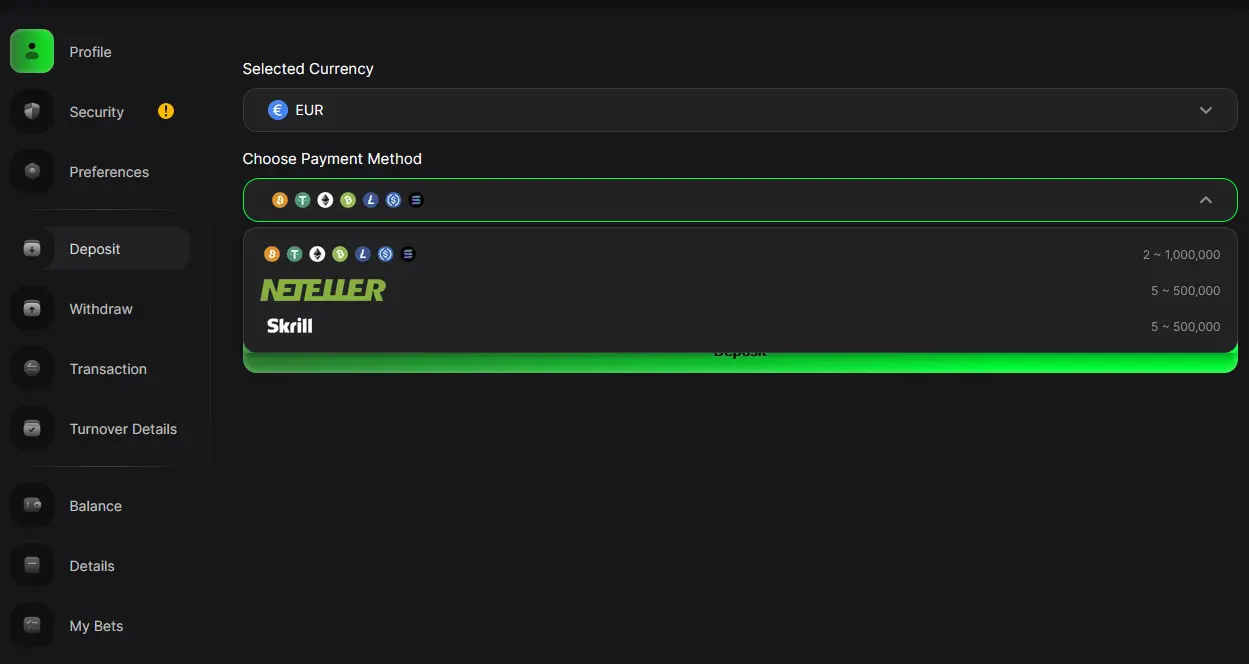
Access your BFB247-96EX account and navigate to the Deposit section from the main menu.
Select your payment method
Choose from Skrill, Neteller, bank transfer, or cryptocurrency. Each method is processed quickly with zero fees.
Enter the amount and confirm
Enter your desired deposit amount (minimum €10 for new accounts) and confirm. Funds are available instantly for most methods.
How to Withdraw Funds
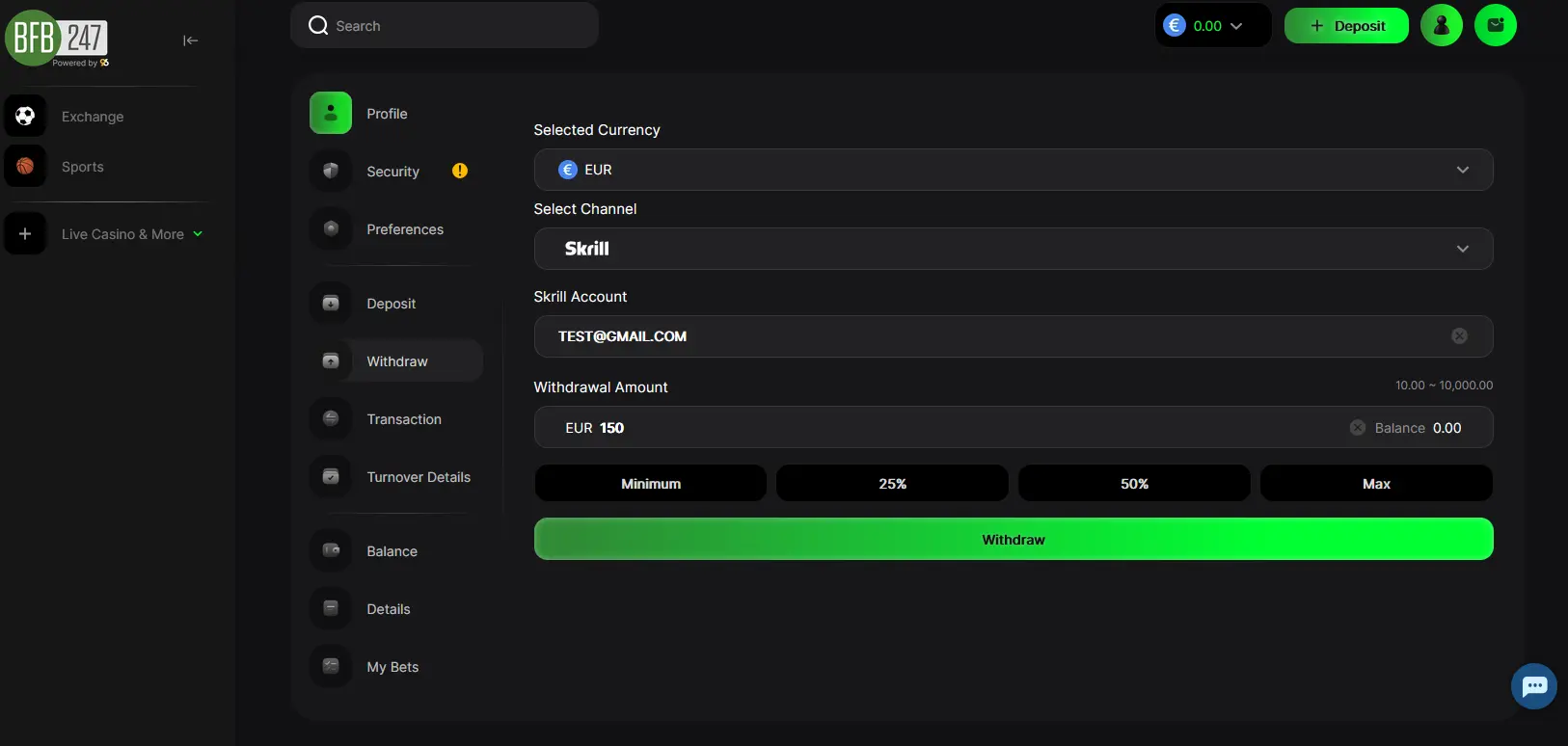
Go to the Withdraw page
Inside your BFB247-96EX account, navigate to the Withdraw section.
Select your preferred withdrawal method
Choose from Skrill, Neteller, bank transfer, or cryptocurrency and enter the withdrawal amount.
Confirm and wait for processing
Submit your withdrawal request. Processing takes up to 8 hours. Minimum withdrawal is €10 with zero fees.
Important Information
- The minimum deposit for a new account is €10.
- The minimum withdrawal amount is €10.
- There are no fees on deposits or withdrawals.
- For any questions about payments, contact us via WhatsApp or email.
Ready to start?
Create your Orbit Exchange account today through BFB247-96EX and access the world of betting exchanges. Join thousands of traders who already enjoy better odds, free professional software, low commission and 24/7 multilingual support. Registration takes just a few minutes.